
Insights and performance
How to monitor your audience live
Use Live Insights to follow launches, locate viewers in a video, and react with context.
Live shows what is happening now, while historical Insights explain what happened over a period. It is most useful during premieres, launch events, classes, and offer windows.
Nothing needs to be enabled in the player. The snapshot updates automatically when someone starts, pauses, resumes, or ends playback.
Open the dashboard
Open Insights → Live. The dashboard starts at organization scope and refreshes automatically.
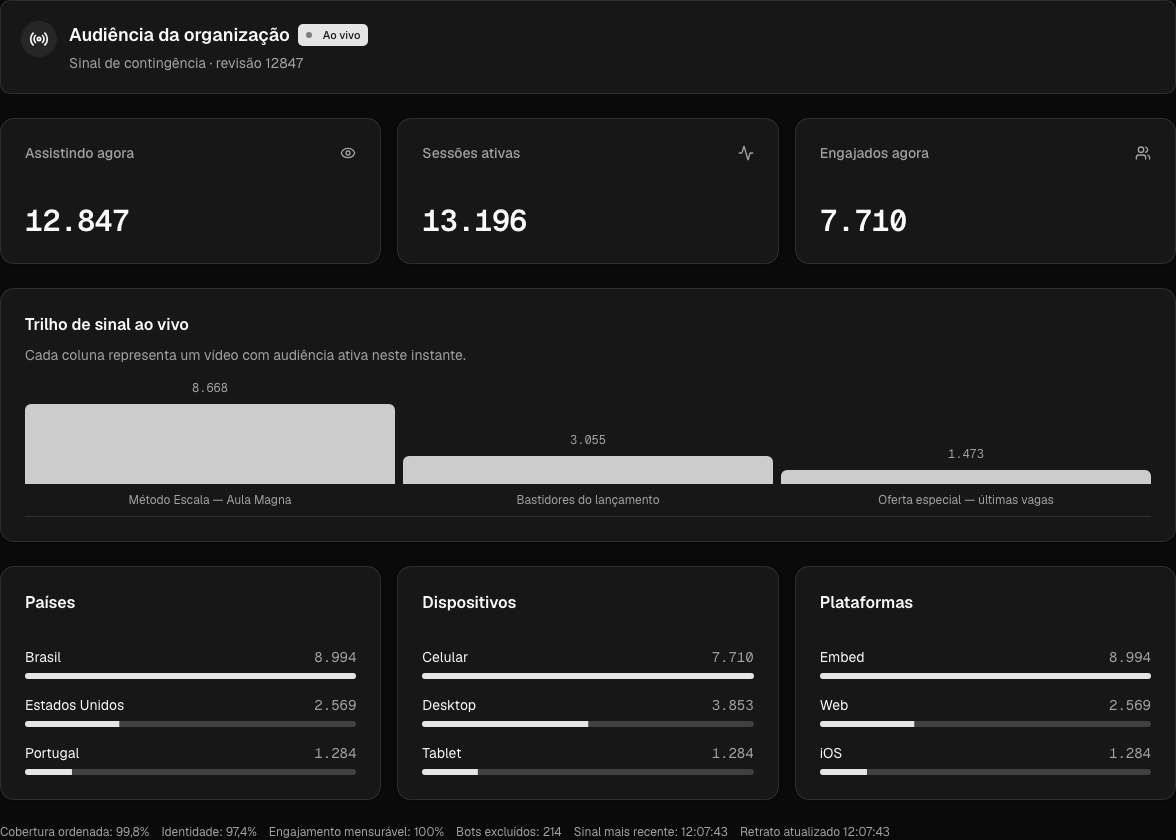
Demonstration scenario created for this article. The data is synthetic and does not belong to customers.
What each number counts
- Watching now deduplicates identified people across their active sessions.
- Active sessions counts players currently running, including sessions without stable identity.
- Engaged now counts identified people who have met that video's engagement rule.
The example has 12,847 people across 13,196 sessions. This is expected: one person may open more than one player, and some sessions may not have stable identity. 7,710 identified people are already engaged.
The live signal rail uses sessions, so its columns reconcile to the headline: 8,668 + 3,055 + 1,473 = 13,196. Country, device, and platform breakdowns use identified people and therefore reconcile to 12,847.
Investigate a video
The video detail divides its duration into ten sections so you can see whether most viewers are still in the opening, near the demonstration, or past the pitch.
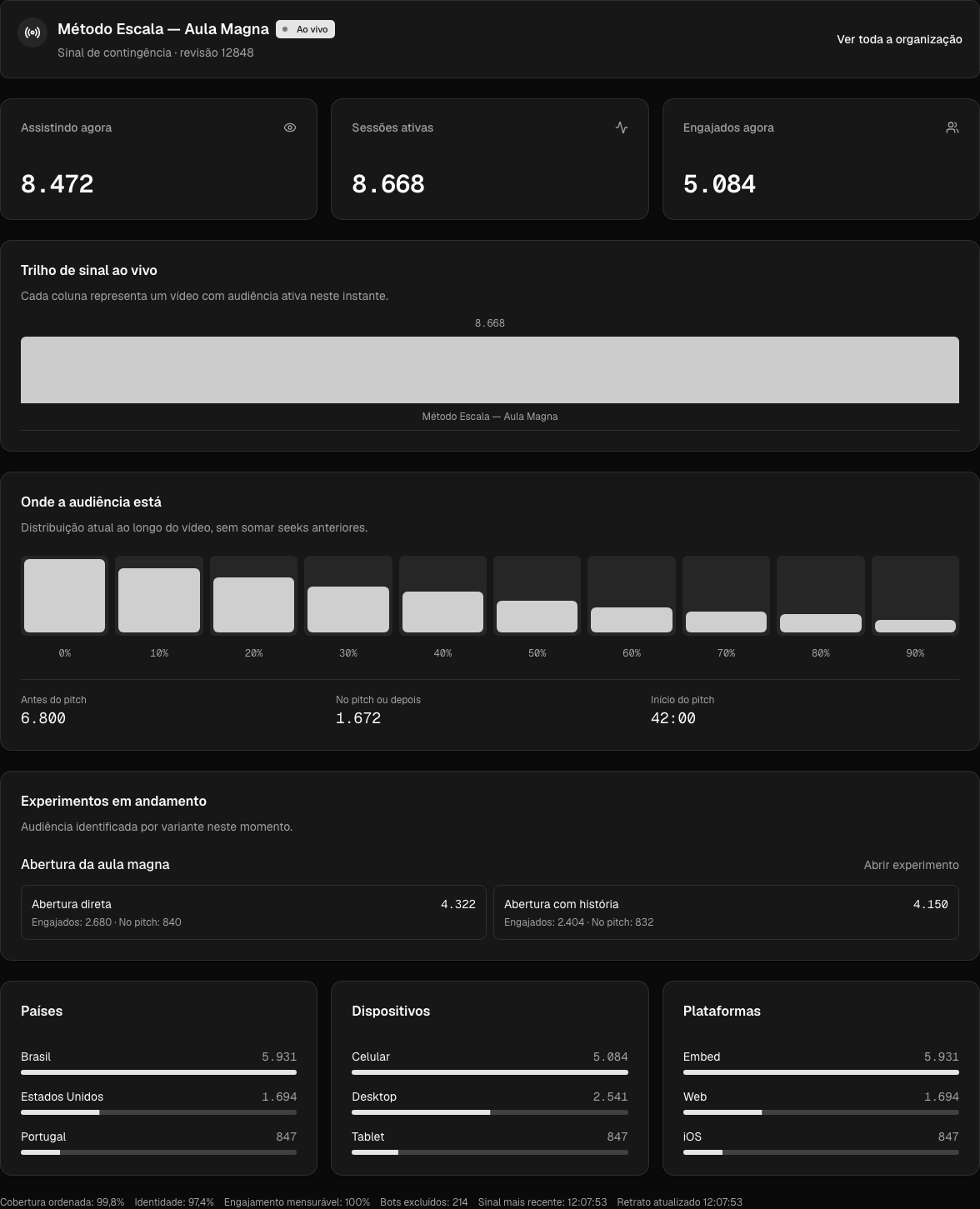
The detail uses the same synthetic scenario as the previous image.
Each Where the audience is column represents people's current position in a 10% section of the video. It does not add previously watched sections and is not a retention curve.
In the example, 6,800 people are before the pitch and 1,672 are at or past it, reconciling to the video's 8,472 people. If an experiment is running, Live also shows the current audience by variant. Use it to monitor distribution, not to declare a winner before checking accumulated results.
Use this as an operational signal. Check playback, page health, and traffic sources before changing content. After the event, use retention analysis for a complete comparison.
When a session enters or leaves
- Play or resume: the session appears after the event reaches Moviie.
- Pause, end, or background: the session stops being active.
- Abrupt close: if the browser cannot send its final event, presence expires automatically and disappears from a continuously visible page within about 35 seconds.
Privacy for small audiences
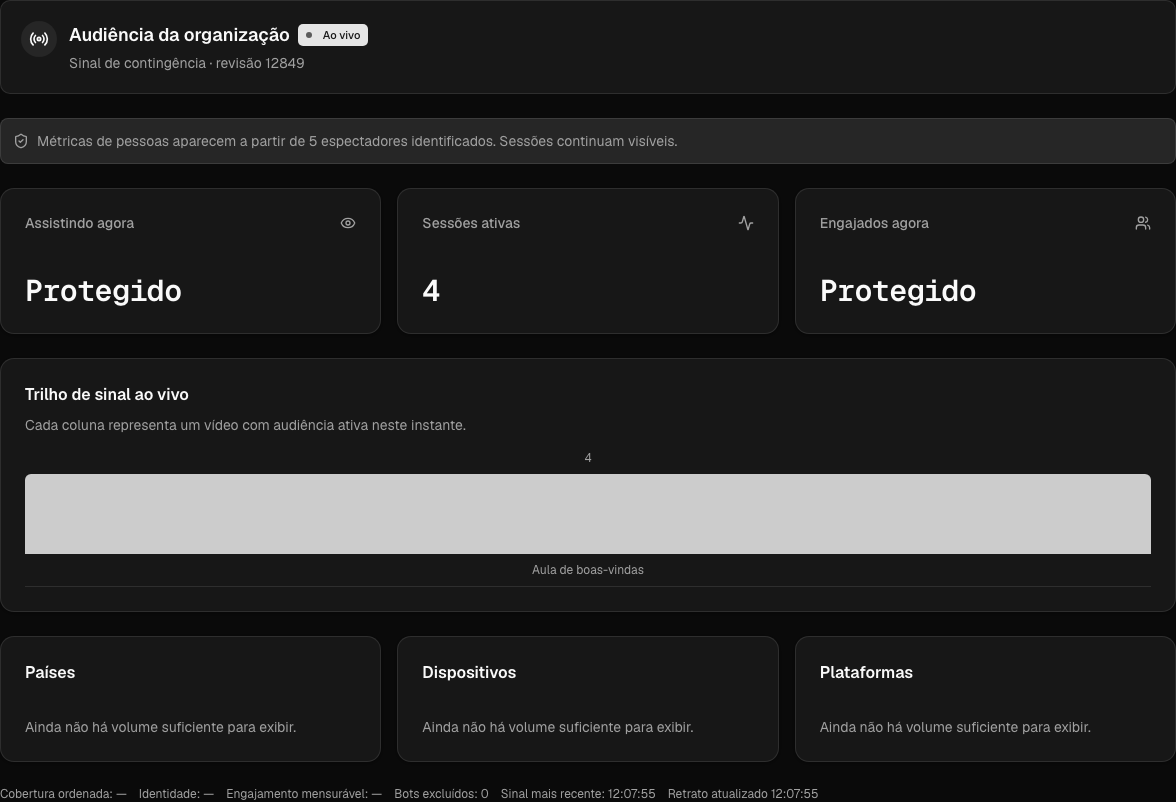
With fewer than five identified viewers, Live still shows Active sessions but protects people totals and breakdowns that could reveal a small group. In the image, four sessions are real; Protected does not mean zero.
Connection status
The status badge distinguishes live, reconnecting, rebuilding, and stale data. Moviie preserves the last safe snapshot during a failure rather than presenting unknown data as zero.
If no safe snapshot exists, the dashboard reports that it is unavailable instead of inventing numbers. It updates automatically when the connection returns.
Use Live during a launch
- Open Live before sending traffic and confirm the status is live.
- Use Active sessions to understand how many players are running now.
- Compare people with sessions to spot duplicated sessions or limited identity coverage.
- Open the main video and check how many people have reached the pitch.
- Check device, platform, and country before investigating a drop or making an operational decision.
Do not change content, offers, or traffic based on one snapshot. Live helps operate the moment; it does not replace retention, conversion, or experiment analysis.
Continue learning
Keep going
Guides that help with the next step.