
Esse player é seu.Da capa ao último frame.
Todo player gratuito cobra de algum jeito. O do YouTube põe a marca dele, pode meter anúncio no meio e, no fim do seu vídeo, sugere o concorrente. O da Moviie é white-label: sua cor, sua capa, seu botão de ação na hora certa, e um fim de vídeo que leva para o seu próximo passo. Sem logo emprestado, sem vitrine do vizinho.
Parece de graça.Cobra no lugar mais caro: a conversão.
O fim do seu vídeo é o momento mais valioso que existe. O espectador assistiu até o final, está pronto para agir. É exatamente esse momento que o player de rede social entrega para outra pessoa.
O player carrega o logo de quem hospeda, não o seu. No meio da sua VSL ou da sua aula, quem aparece com autoridade é a plataforma. Você construiu a audiência, e a marca em cima do conteúdo é de outro.
Como a Moviie resolveO lead assistiu até o final, está no ponto de comprar, e o player sugere "vídeos relacionados": o do seu concorrente, um assunto aleatório, qualquer coisa menos o seu próximo passo. Você pagou para trazer essa atenção e a entregou de bandeja.
Como a Moviie resolveBarra mostrando quanto falta, botão de pular, recomendações no canto. Cada elemento que você não controla é um convite para sair. O player devia empurrar para frente, não dar atalho para porta.
Como a Moviie resolveUm player que trabalha para você.Não para quem hospeda.
Na Moviie o player é uma tela em branco com a sua marca. Você decide o que aparece, quando aparece e para onde leva. E o que não te ajuda a vender, simplesmente não está lá.
Sua cor, sua capa, sem selo de terceiro.
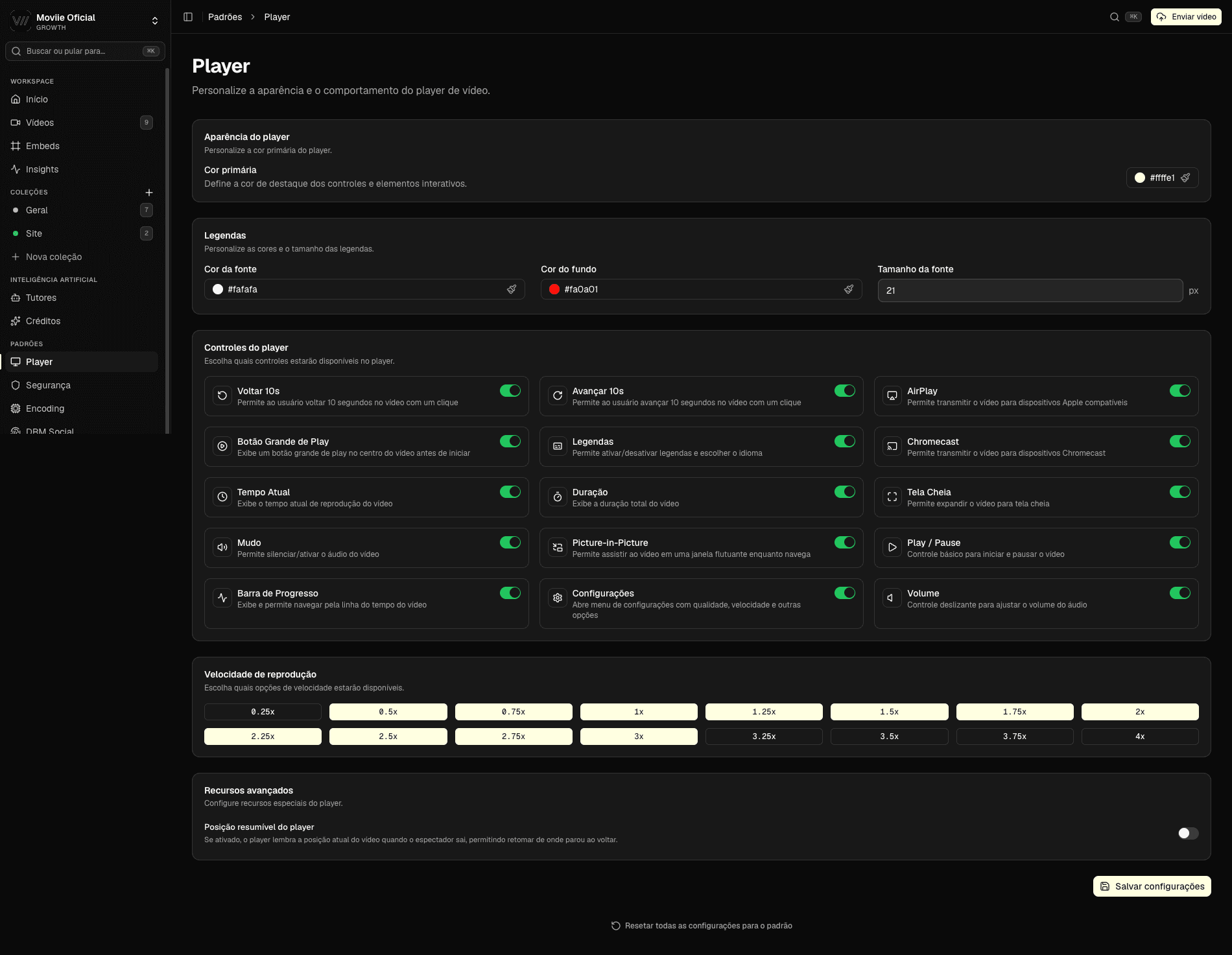
Você escolhe a cor de destaque do player, define a capa do vídeo (um frame ou uma imagem sua) e pode remover a marca Moviie por completo. O espectador vê o seu conteúdo, com a sua cara, sem logo emprestado no caminho e sem anúncio no meio.
- Cor de destaque à sua escolha
- Capa própria por vídeo
- Opção de remover a marca Moviie
- Sem anúncio de terceiro
O fim do vídeo leva para o seu próximo passo. No segundo certo.
Um botão de ação que você posiciona, colore e programa para aparecer no segundo exato, levando para o checkout, para próxima aula ou para o link que quiser. Quando o vídeo acaba, ninguém é jogado para "vídeos sugeridos". O caminho seguinte é o que você desenhou.
- Botão de ação no segundo que você escolhe
- Leva para o seu link, não para sugestões
- Sem vídeo de concorrente no fim
- Posição, cor e horário no seu controle
O player se ajusta ao conteúdo. Sozinho.
VSL pede foco total e botão na hora certa. Aula pede capítulos, busca e controle de velocidade. A Moviie reconhece o tipo de vídeo e monta o player adequado para ele, e você ajusta o que quiser por cima.
- Modo certo para VSL, aula ou webinar
- Controles que você liga e desliga
- Capítulos, velocidade e busca quando fazem sentido
- Continua de onde o espectador parou
O mesmo vídeo,dois donos diferentes do player.
A diferença não é estética. É de quem fica com a atenção no fim.
| Player de rede social | Moviie | |
|---|---|---|
| Sua marca no player | a marca deles | a sua |
| Fim do vídeo | vídeos sugeridos | o seu CTA |
| Anúncio no meio | pode entrar | nunca |
| Cor e capa próprias | limitado | à vontade |
| Botão de ação no segundo exato | não tem | tem |
| Sugestão do concorrente no fim | padrão | não existe |
No fim do vídeo, alguém ganha a próxima atenção. No seu player, é você.
Um player.A plataforma inteira por trás.
Menu de IA dentro do player
Resumo, quiz e busca no próprio vídeo. O espectador tira mais valor sem sair da sua página.
Legendas e dublagem
Acessível para quem assiste sem som e multilíngue para quem está fora, no mesmo player.
Só roda onde você deixa
Embed travado por domínio e link assinado. O player toca no seu site, não no de quem copiou o embed.
Analytics de retenção
Veja até que segundo assistiram, no seu player, sem depender do painel de ninguém.
Embed em qualquer lugar
WordPress, Elementor, site próprio ou app nativo. Uma linha, e o player vai com a sua cara.
Começa em 180ms
Rápido e seu: o primeiro frame aparece quase no clique, entregue da rede global.
O que dá para mudare o que sai de cena.
Dá. O selo da Moviie é um interruptor: você liga ou desliga por vídeo. Desligado, o player não exibe marca nenhuma além da sua. É white-label de verdade, sem cobrar à parte por isso.
Você personaliza a cor de destaque, define a capa do vídeo (um frame ou uma imagem sua) e configura o botão de ação. Some o selo da Moviie e some o anúncio de terceiro. É isso que dá a cara da sua marca ao player, sem nada competindo com o seu conteúdo.
Nunca. O player da Moviie não tem recomendação automática nem vídeos relacionados. Quando o vídeo acaba, aparece o que você definiu: um botão de ação, a próxima aula, ou simplesmente o fim. A próxima atenção é sua, não vira vitrine de ninguém.
Não. Você configura no painel: escolhe o segundo em que o botão aparece, a cor, o texto e para onde leva. Trocou a oferta no meio do lançamento? Atualiza num lugar só. Sem código, sem plugin.
Sobe um vídeo.Vê ele com a sua cara em 5 minutos.
14 dias de trial para montar o player do seu jeito: sua cor, sua capa, seu CTA, sem marca de terceiro. Sem ligação de vendas.